|
|
1、switch通过DBI连接电脑。
2、打开修改器,点击左上角File-Open a savegame,进入SWitch,在saves文件夹中找到Divinity: Original Sin 2 - Definitive Edition游戏目录,里面找对应的存档文件,一般数字越大存档越新。
3、修改后点击左上角File-Save
4、保存后进存档文件夹检查下,如果保存的存档文件是在原存档文件名后加数字后缀,要手动把原存档删除或备份,把新存档文件名改成与原存档文件名一致。
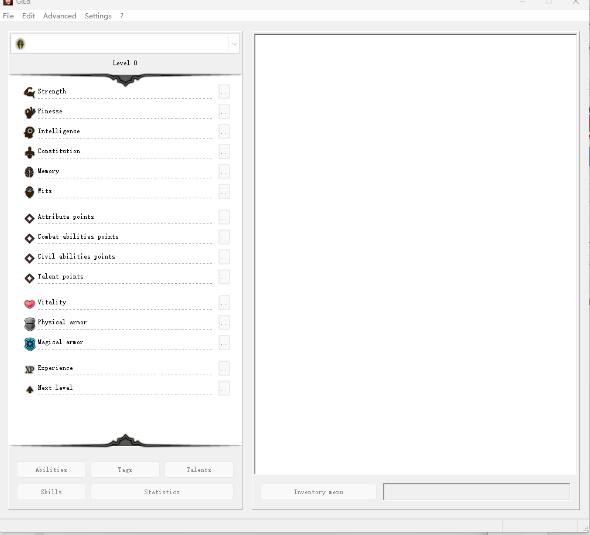
付语言包说明,我没安装环境会报错所以没测试。
ABOUT LANGUAGE PACKS
Language packs are used to translate items, skills, and some UI elements. They are optional.
Installation:
Download your language pack
Unzip into the main folder (where GlEd.exe is)
You can find the new language in Settings/Languages/Game Elements.
If you check Try to resolve item names in Settings/Display, the program will try to give a name to some items according to the selected language pack.
Notes:
Tags and Talents are not translated.
Some items may not be named correctly or may have no name.
You can't unselect the language pack in the settings. Meaning you're stuck with that language once selected. A workaround is to download and install another language pack (english is recommanded), so you can switch languages whenever you want. Another solution is to delete the LS folder which you can find in the Locales folder.
修改器下载:
|
|






 发表于 2023-8-22 12:04:18